
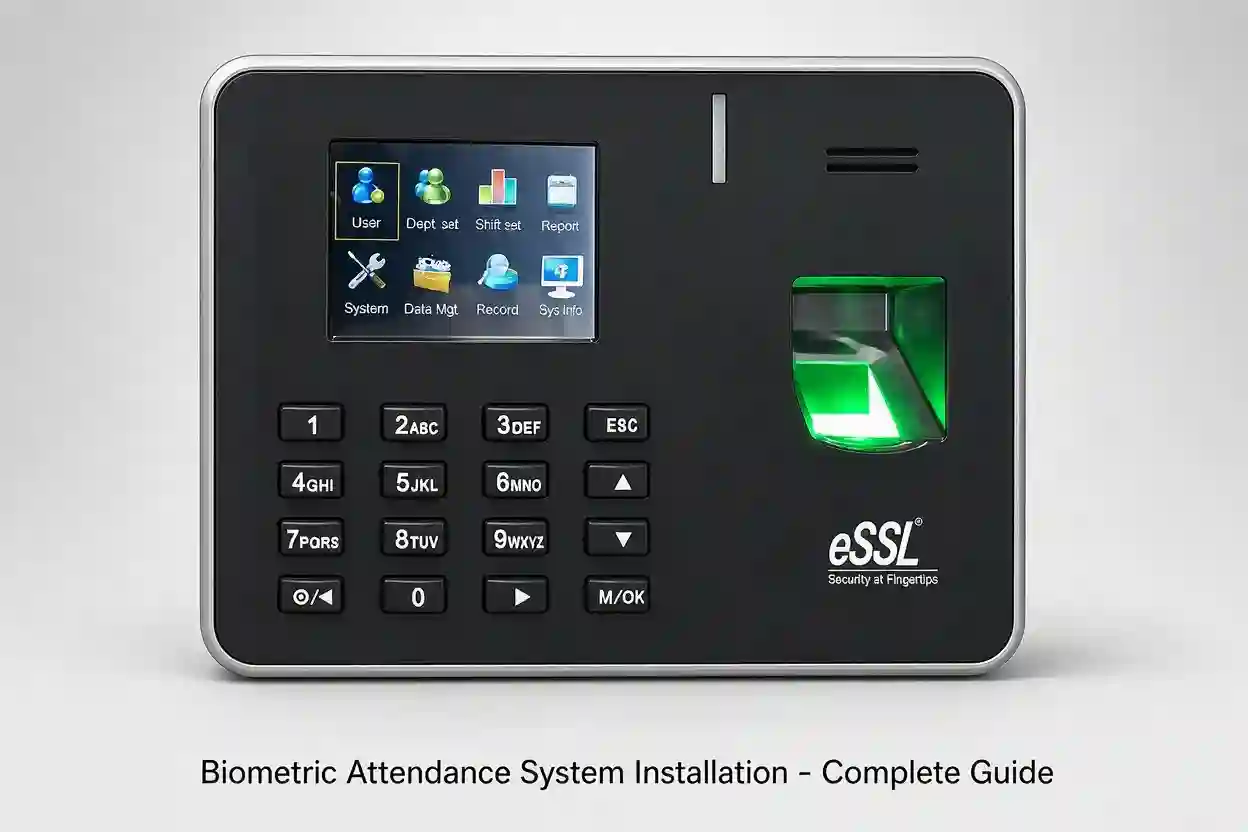
Managing employee attendance manually can become difficult as a business grows. Paper registers, attendance sheets, and traditional punch cards can take time to maintain and may lead to errors in working hours, late arrivals, overtime, and leave records.
A biometric attendance system provides a more reliable way to record employee attendance using unique biological or personal identification methods such as fingerprints, facial recognition, or RFID cards. For companies in Dubai and across the UAE, these systems are increasingly being used to simplify attendance management and improve workplace security.
In this guide, we explain how biometric attendance systems work, what to consider before installation, and how businesses can choose the right solution for their workplace.
What Is a Biometric Attendance System?
A biometric attendance system is an electronic solution that records when employees arrive at and leave the workplace. Instead of relying on manual attendance registers, employees identify themselves using a fingerprint, face, RFID card, PIN, or a combination of these methods.
The attendance device records the transaction and sends the information to attendance management software. HR teams can then use the software to monitor working hours, late arrivals, early departures, overtime, shifts, and other attendance information.
Modern systems can also support cloud-based management, mobile access, multiple branches, and integration with payroll or HR software.
Why Businesses in Dubai Are Installing Biometric Attendance Systems
Dubai has businesses ranging from small offices and retail outlets to construction companies, warehouses, factories, hotels, schools, and large corporate organizations. Each workplace can have different attendance requirements.
A biometric system can help businesses:
- Reduce manual attendance work
- Prevent employees from marking attendance for others
- Record accurate entry and exit times
- Monitor late arrivals and early departures
- Manage employee shifts
- Calculate overtime
- Generate attendance reports
- Manage multiple branches
- Integrate attendance with HR and payroll systems
For organizations with a large workforce, automated attendance reporting can save HR teams considerable time.
Types of Biometric Attendance Systems
There is no single attendance machine that suits every business. The right device depends on the number of employees, working environment, required features, and budget.
Fingerprint Attendance Systems
Fingerprint attendance machines identify employees using their registered fingerprints. They are widely used in offices, shops, warehouses, factories, and other workplaces.
Employees simply place a registered finger on the scanner to record attendance.
Fingerprint systems are particularly suitable when businesses need a straightforward and cost-effective attendance solution.
Face Recognition Attendance Systems
Face recognition attendance machines identify employees using facial features. Employees can record attendance without touching the device, making this option convenient for busy workplaces.
Modern facial recognition terminals may also include features such as liveness detection, multiple verification methods, and access-control functionality.
These systems are suitable for offices, commercial buildings, factories, schools, and other organizations looking for touchless attendance.
RFID Card Attendance Systems
RFID attendance systems use cards or key tags assigned to individual employees. The employee presents the card to the reader to record attendance.
RFID can be useful for businesses where employees need cards for other purposes, such as door access or identification.
Multi-Biometric Systems
Some businesses require more than one authentication method. Multi-biometric devices may support fingerprint, face recognition, RFID cards, PINs, or combinations of these methods.
This can provide greater flexibility when different employees have different attendance requirements.
How Biometric Attendance Installation Works
A professional installation normally involves several stages. Proper planning is important because the device location, network connection, employee database, and software configuration all affect the performance of the system.
1. Site Assessment
The installation starts with an assessment of the workplace.
The installer considers:
- Number of employees
- Number of locations
- Working shifts
- Entry and exit points
- Network availability
- Power requirements
- Device mounting location
- Environmental conditions
- Attendance software requirements
For larger organizations, multiple attendance terminals may be required.
2. Selecting the Right Device
The appropriate attendance machine is selected based on the site requirements.
For example, an office with 50 employees may have very different requirements from a factory with several hundred workers operating across multiple shifts.
The device should have sufficient user capacity, transaction storage, communication options, and authentication methods for the business.
3. Device Installation
The biometric terminal is securely mounted at the selected entrance or attendance point.
The installer connects the required power and network connections and checks communication between the device and the management software.
For outdoor or demanding environments, the installation location should also protect the device from unnecessary exposure to heat, dust, moisture, or physical damage.
4. Employee Registration
After installation, employees are registered in the system.
Depending on the device, this may involve registering:
- Fingerprints
- Facial templates
- RFID cards
- Employee IDs
- PINs
Employee information should be entered carefully so that attendance reports can be matched correctly with HR records.
5. Software Configuration
The attendance management software is configured according to the company’s working schedule.
This can include:
- Shift timings
- Grace periods
- Overtime rules
- Weekly offs
- Holidays
- Leave settings
- Departments
- Employee groups
- Multiple branches
The exact configuration depends on the software being used.
6. Testing and Training
Before the system goes live, the installer should test employee verification, attendance transactions, reports, network communication, and data synchronization.
HR or administration staff should also receive basic training on how to add employees, check attendance, generate reports, and manage the system.
What Should You Check Before Installing a Biometric System?
Choosing an attendance machine only by looking at its price can create problems later. Businesses should consider the complete system rather than the device alone.
Employee Capacity
Check how many users the device can store. A small business may require only a few hundred users, while a large company may need several thousand.
Transaction Capacity
The device should have enough memory to store attendance transactions, especially if it may occasionally operate without a connection to the server.
Communication
Common communication options include Ethernet, Wi-Fi, USB, and sometimes cellular connectivity.
Choose the communication method according to the site’s infrastructure.
Attendance Software
The software is just as important as the biometric terminal. Check whether it can handle your shifts, overtime, holidays, departments, reports, and employee management requirements.
Multiple Locations
Companies with branches in different areas of Dubai or other emirates should consider whether the system can manage multiple locations from a central platform.
Integration
If your company already uses HR, payroll, ERP, access-control, or other business software, check whether the attendance system can integrate with it.
Biometric Attendance and Access Control
Attendance and access control are often used together.
An access-control system determines whether an employee is allowed to enter a particular door, while an attendance system records the employee’s working time.
Some biometric terminals can perform both functions.
For example, an employee can use facial recognition or a fingerprint to verify identity and unlock a door while the transaction is also recorded as an attendance event.
This can be particularly useful for offices, warehouses, factories, staff accommodation, and restricted areas.
Cloud-Based Attendance Management
Cloud-based attendance systems are becoming increasingly useful for businesses with multiple locations or managers who need access to attendance information remotely.
Instead of depending entirely on a local computer, authorized users can access attendance information through a centralized platform, depending on the solution.
Cloud systems can be useful for:
- Multi-branch companies
- Remote HR teams
- Businesses with mobile workforces
- Companies managing several locations
- Organizations that need centralized reporting
However, businesses should evaluate data security, user permissions, connectivity, backup procedures, and the specific cloud platform before choosing a solution.
Choosing a Biometric Attendance System Installer in Dubai
The installation company plays an important role in the long-term performance of the system.
Before selecting an installer, consider:
- Experience with biometric attendance systems
- Knowledge of attendance software
- Installation and configuration capability
- After-sales support
- Maintenance services
- Integration experience
- Warranty terms
- Availability of technical support
A good installer should understand the company’s attendance requirements rather than simply installing a machine on the wall.
Common Applications in Dubai
Biometric attendance systems can be used across many industries, including:
Offices
Businesses can monitor employee attendance, working hours, shifts, and overtime from a centralized system.
Construction Companies
Attendance systems can help track workers entering and leaving project locations.
Warehouses and Factories
Biometric terminals can help manage shift-based employees and maintain accurate attendance records.
Hotels and Hospitality
Different departments can use attendance terminals to manage employees working across different shifts.
Schools and Educational Institutions
Staff attendance can be recorded electronically and organized by department or employee group.
Retail Businesses
Companies with several branches can use centralized attendance management to monitor staff attendance across locations.
Benefits of Professional Installation
Buying a biometric machine is only one part of an attendance project. Incorrect installation or configuration can cause communication problems, inaccurate reports, or unnecessary maintenance issues.
Professional installation helps ensure that the device is positioned correctly, connected properly, configured according to the company’s requirements, and tested before employees begin using it.
It also gives the business an opportunity to configure attendance rules and reporting requirements from the beginning.
Final Thoughts
A biometric attendance system in Dubai can make employee attendance management faster, more organized, and less dependent on manual processes. Fingerprint, facial recognition, RFID, and multi-biometric systems give businesses several options depending on their workforce and workplace requirements.
The most important step is to select a system based on actual business needs rather than choosing a device simply because it has a low price or a large specification list.
From site assessment and device installation to employee registration, software configuration, testing, and support, every part of the installation contributes to the reliability of the final system.
For businesses planning a new attendance system, it is worth discussing the number of employees, working shifts, locations, required reports, software integration, and future expansion with an experienced biometric attendance system installer in Dubai before making a purchase.

 The ZKTeco K40 is a well-known biometric time attendance terminal aimed at organizations that need fingerprint attendance with straightforward connectivity.
 If your requirement goes beyond attendance and you also need to control an office door, the ZKTeco F18 is worth considering.
